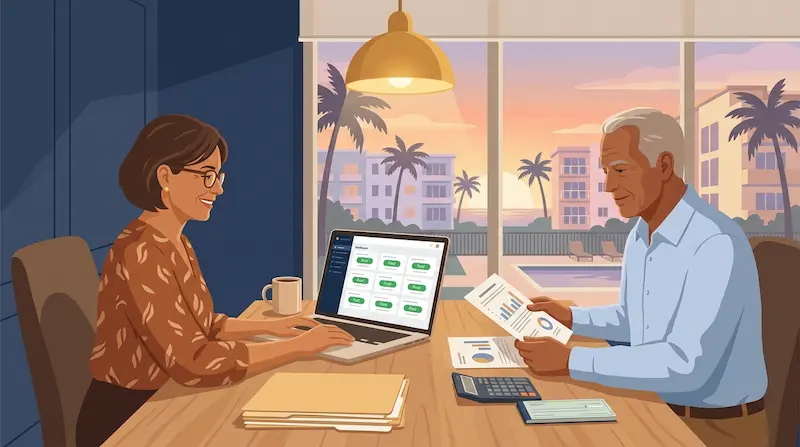
Most Florida HOAs still collect dues the same way they did in 1995: paper checks dropped in mailboxes, paper checks sorted at a bank lockbox, and a treasurer who spends a Saturday a month reconciling deposits. Switching to online payments is the simplest upgrade a self-managed or small-managed Florida community can make. It usually takes one weekend to set up, owners adopt it within a few months, and the treasurer gets their Saturdays back. This guide explains how online HOA payments work in Florida, what owners and boards each get from them, and where Mosaic fits.
For the broader collection process beyond the payment channel itself, pair this with our Florida HOA dues collection guide and our electronic dues collection guide.
This article is general information for Florida HOA and condo boards. It is not legal advice. Talk to a licensed Florida community-association attorney before adopting collection policies or amending governing documents.
How online HOA payments work
Three channels cover almost everything Florida boards need:
- Credit or debit card. Owner taps "Pay Now" in an email or on the portal, enters the card, and the payment authorizes instantly. The HOA's bank account sees the deposit one to two business days later. Cards usually carry a small convenience fee paid by the owner. Modern processors like Stripe Connect handle the entire flow on a hosted page so the HOA never touches card data
- ACH bank transfer. Same flow but the owner enters their bank routing and account number instead of a card. The transfer typically clears in one to two business days. ACH fees are much lower than card fees, sometimes a flat dollar amount rather than a percentage
- Autopay. Owner enrolls a bank account once and the system automatically debits the assessment each cycle. The owner can change or cancel autopay any time from their portal
Compared to paper checks, online payments are typically faster (one to two days vs. four to seven), more reliable (no lost mail), and easier to reconcile (every payment is timestamped and tied to a unit automatically). The owner gets an instant email receipt. The treasurer sees an updated ledger without lifting a pencil. With roughly 50,600 community associations in Florida, even modest improvements compound across the housing stock.
What owners want
Owner expectations are not complicated. From the dozens of Florida communities Mosaic has talked to, owners consistently ask for five things:
- Pay the assessment from a phone in two minutes
- Get a receipt automatically
- See the current balance on a unit at any time
- Set up autopay so a late fee never happens by accident
- Know exactly what fees they are paying and why
Boards that meet all five usually see strong adoption within a few billing cycles. Boards that hide the convenience fee in the fine print, or that require a complicated portal login for first-time payers, see slower uptake and more support emails. The simplest path for the owner wins.
What boards want
Board priorities are slightly different. The treasurer wants less manual work; the president wants fewer angry emails about timing; the property manager (if any) wants a single ledger that adds up. The list is short:
- Spend less time hunting paper checks and reconciling lockbox deposits
- See who owes what in real time, without exporting CSVs
- Have late fees post automatically within Florida's statutory caps
- Have payment receipts and reminders go out without manual paperwork
- Comply with Florida's payment-application rules without becoming a part-time bookkeeper
That last item is worth a brief explainer. Under Florida law (F.S. 718.116(3) for condos and 720.3085(3) for HOAs), payments must be applied in a specific order — interest first, then late fees, then attorney's fees, then the assessment itself. The order matters because misapplying a payment can void a later lien, as Florida Condo HOA Law Blog explains. A good payment system enforces this allocation in code, automatically, so the board never has to think about it.

The convenience fee question
Most online payment systems charge a small fee on each transaction to cover the credit-card or bank-transfer cost. The question Florida boards usually have is who pays it — the owner or the association.
The simple answer in 2026 is that the owner pays. Industry-standard rates are roughly 2.95 to 3.5 percent on credit cards and a small flat fee on ACH (often $1.95 to $5). The fee is shown to the owner as a separate line item before they confirm the payment, so it's transparent. Owners who want to avoid the credit-card fee can choose ACH (cheaper) or stick with checks (free). Owners who want the points or the convenience just pay the fee and move on.
From the board's perspective, the only real risk is treating convenience fees as a profit center rather than a cost-recovery mechanism. A fee that approximates the processor's actual cost is defensible. A fee that materially exceeds it raises fiduciary-duty concerns and runs afoul of card-network rules (Visa caps surcharges at 3 percent, Mastercard at 4 percent). Boards that pick a platform charging 3 percent or less on cards are inside both card-network limits without having to think about it.
Try Mosaic alongside your current software. No Risk!
- Keep yourself compliant on every statute change
- Keep your board compliant across every workflow
- Keep your HOA compliant and your owners happy
How Mosaic fits
Mosaic is the AI-powered platform that runs your HOA. It answers residents from your governing documents, tracks compliance deadlines, identifies savings in your budgets and contracts, and accepts assessments online. The payment piece is one part of a larger system, but it works the way most boards want online payments to work:
- No platform fee from Mosaic. Mosaic uses Stripe for processing. The owner pays Stripe's standard rate (3 percent on cards, $5 flat on ACH). The HOA receives 100 percent of the assessment
- Florida's payment rules built in. The statutory allocation order is enforced automatically. Late fees post within the F.S. 718.116(3) / 720.3085(3) cap (greater of $25 or 5 percent). Interest accrues at 18 percent or the declaration rate
- Owners pay in two clicks. Email link goes straight to a hosted Stripe invoice. No password needed for first-time payers. Returning payers can sign in to a portal that shows balance history, statements, and autopay
- Auto-mailed reminders and statutory notices. If an owner falls behind, the system queues the right notices (Notice of Late Assessment, Notice of Intent to Lien) for board review and mails them through Lob USPS — saving the treasurer hours per month
- Autopay enrollment. Owners can enroll once and forget about it. They can also cancel any time from their phone
- One unified ledger. Card, ACH, autopay, and any check or wire entered manually all flow through the same allocator and show up on the same unit ledger. Nothing drifts
Mosaic stops at the lien-filing line. If a delinquent unit needs an actual Claim of Lien recorded with the county or a foreclosure suit filed, the system packages everything — ledger, notices, delivery proofs — and routes the file to the association's collection counsel. Mosaic doesn't do legal work; it makes the legal work fast and cheap when it's needed.

When it makes sense to switch
Online payments aren't right for every Florida community on day one — a 12-unit cooperative where everyone has paid by check for 30 years probably doesn't need to rush. But you'll feel the benefit quickly if any of these are true for your association:
- Your treasurer spends more than two hours a month on routine bookkeeping
- Owners regularly call about whether their check arrived
- You've ever had a check go missing in the mail or at the bank lockbox
- You have at least one delinquent owner per year and you're not sure what step you're on
- You're paying $40 or more per month for a bank lockbox that posts payments four to seven days late
- You're considering hiring a property manager just to get out of payment processing
If two or more apply, switching to a modern online payment system is probably the highest-ROI operational change your board can make this year. For broader operational context, see our HOA financials evaluation guide, our HOA banking needs guide, our Florida HOA fees rising guide, and our 2027 budget guide.
Rolling it out to your owners
The mechanics of switching to online payments are easy. The communication is what determines whether owners adopt the system in 30 days or in 18 months. A handful of practical tips that work in Florida communities:
- Announce before the first online-eligible invoice. Two to three weeks before the first billing cycle, email every owner with four things: why the board is offering online payments, what's changing for them (nothing — checks still work), how to use the new option if they want, and the convenience fee in plain dollars not percentages. Owners hate fee surprises more than they hate the fees themselves
- Use real numbers, not jargon. "Pay your $500 quarterly assessment online with a credit card. The processor fee is $15 (3 percent), so the total card charge is $515. Bank transfer (ACH) is a flat $5 fee. Both options are optional — you can keep paying by check at no cost." Owners who see this read it once and decide
- Make the first email do the work. The link in the email should go straight to a one-click payment page, no portal login required. The fewer clicks between the email and the receipt, the higher the adoption rate. Mosaic's hosted invoice link works exactly this way — owners pay and get a receipt without ever creating an account
- Pitch autopay separately, after the first cycle. Asking owners to "use this new portal" and "set up autopay for the rest of your life" in the same email is too much. Wait two billing cycles. After owners have paid online once or twice, send a separate autopay nudge. Adoption is much higher when the two asks are split
- Anticipate the same three questions. Almost every Florida community gets these: "Is online payment required?" (no, checks still work). "Why am I being charged a fee?" (it covers the credit-card processor's cost; ACH is cheaper). "What if my payment doesn't go through?" (the system reverses it, the owner gets an email, and the unit is flagged for follow-up — same as a bounced check, just faster). Putting the answers in the announcement email saves the treasurer hours of one-off replies
- Keep checks alive. Even at communities with very high online adoption, a meaningful slice of owners — often older homeowners or owners who like a paper trail — keep paying by check. That's fine. The system handles checks the same way it always did, and Mosaic logs them into the same ledger as the online payments so reconciliation stays unified
One last operational tip: print the announcement on letterhead and mail it to any owner whose email isn't on file. About 5 to 10 percent of Florida HOA owners do not regularly check the email address the association has for them, and a single letter is much cheaper than chasing the same handful of people for the next three billing cycles.
Frequently asked questions
Credit and debit card payments authorize instantly and settle to the association's bank account in one to two business days. ACH (bank transfer) payments typically post in one to two business days as well, sometimes three over a weekend. Either way, online payments clear faster than the four to seven business days a paper check usually takes through a bank lockbox, and the owner gets an instant email receipt instead of waiting for a deposit confirmation.
The owner pays the convenience fee on most modern HOA payment platforms, including Mosaic. The fee shows up as a separate line on the payment screen before the owner authorizes the charge, so there are no surprises. Mosaic charges 3 percent on credit and debit cards (which covers the card processor's cost) and a flat $5 on ACH bank transfers. The HOA receives 100 percent of the assessment amount. Mosaic adds no platform fee on top of that.
Generally no. Most Florida community-association attorneys advise that an HOA cannot summarily refuse a check or money order tendered for assessments — lawful tender is lawful tender. Online payment is offered as an additional channel rather than as a replacement. To make online-only mandatory would typically require a declaration amendment under the supermajority threshold in the governing documents. Most boards adopt online payment by board resolution alongside the existing options.
If an ACH payment is returned for insufficient funds or a card payment is charged back, the payment system reverses the original credit on the unit's ledger and applies an NSF fee (typically $25, set by the association's bylaws). Mosaic handles this automatically through Stripe webhooks: the reversal is logged with the actual return date, the NSF fee is applied per F.S. 68.065, and the unit's status updates the next morning. The owner gets an email letting them know what happened and how to make the payment good.
Yes, when the platform uses a hosted payment processor like Stripe. The owner's card or bank information is entered directly into Stripe's secure checkout — it never touches the HOA's server, the management company's server, or Mosaic's server. The HOA only sees that a payment cleared and for what amount. This keeps the association's PCI compliance scope minimal and means a board doesn't need to think about credit-card security. Mosaic uses Stripe Connect for exactly this reason.
Share this guide